
Connecting Trello with Resource Guru
You can integrate Trello with Resource Guru to simplify your scheduling workflow by creating bookings directly from Trello cards in your Schedule.
Setting up the Trello Integration
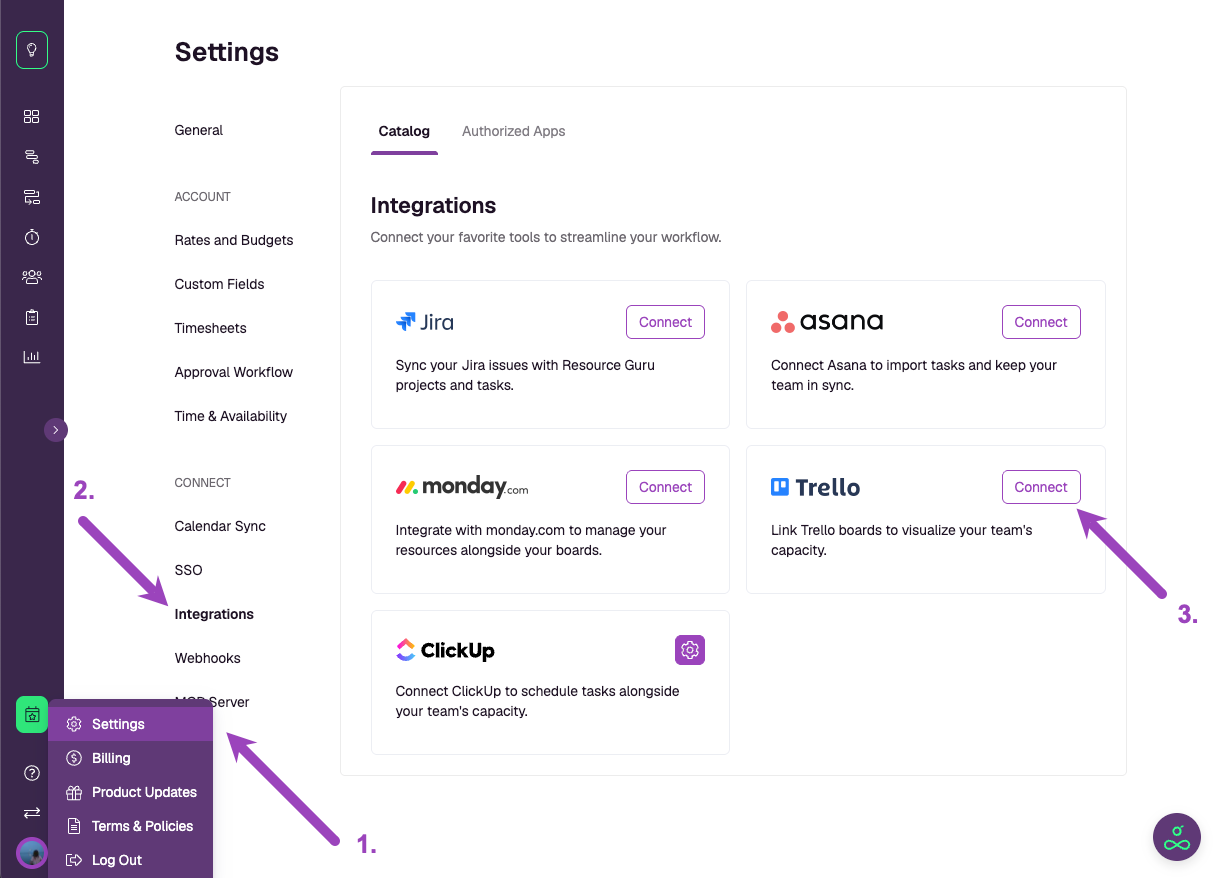
Go to Settings from the sidebar.
Click Integrations in the left hand menu.
In the Integrations Catalog, find Trello and click Connect.
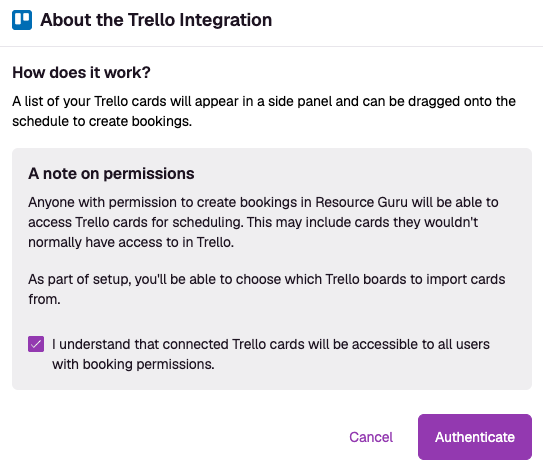
A pop-up will explain what to note:How it works: Trello cards will appear in a panel beside the Schedule, ready to drag and drop.
Permissions: Any user with permission to create bookings in Resource Guru will be able to view and schedule imported Trello cards.
Check the box to confirm you understand how permissions work, then click Authenticate.
Authenticate with Trello
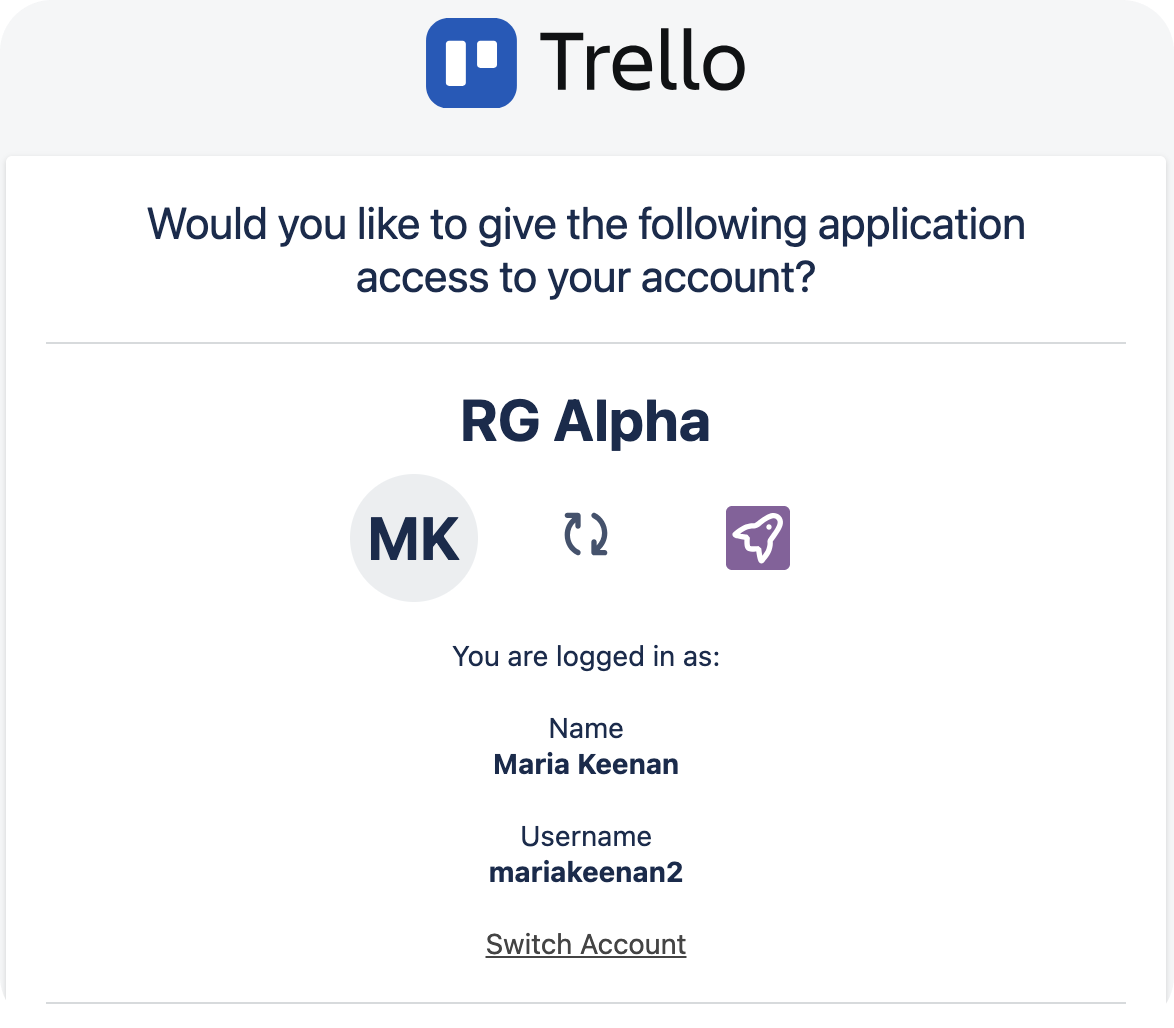
Enter your Trello Workspace details if prompted.
A pop-up will appear allowing you to authorise the connection between your Trello and your Resource Guru account.
If you agree, scroll down to click on Allow.
Configure Trello Integration settings
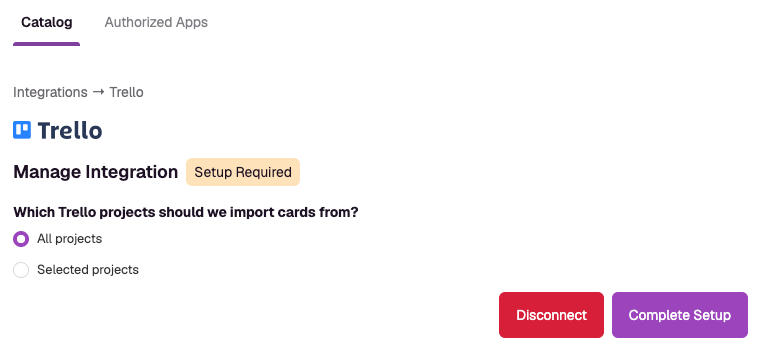
Once connected, you'll be able to choose how Trello projects and tasks are imported. Choose between:
Import all projects
Select projects to import from the dropdown menu
Scheduling Trello cards
After setup, Trello cards will appear in a dedicated panel beside the Schedule.
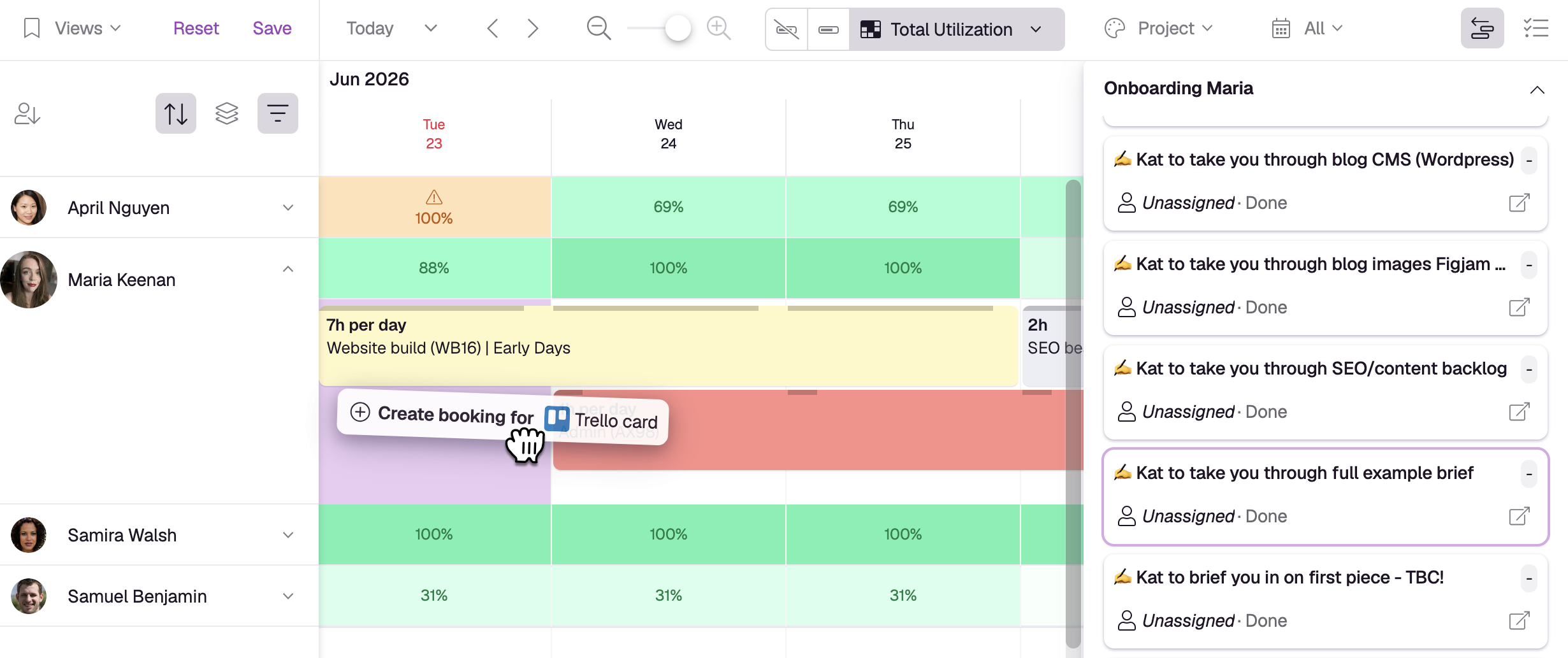
What you can do:
Drag and drop cards onto your team's schedule to create bookings.
Move, extend, shorten, and split bookings, just like any other booking in Resource Guru.
Open scheduled Trello cards to view booking details, project information, and activity history.
Create multiple bookings against the same Trello card when needed.
New Trello cards are automatically synced to Resource Guru, ensuring your scheduling workflow stays up to date.
See how much time has been scheduled against Trello cards
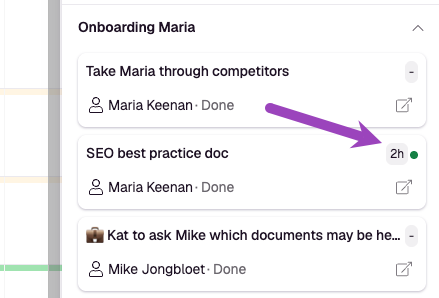
Once the integration is set up, you can easily track which tasks from Trello have associated bookings in Resource Guru.
A task with time booked against it will show a green indicator, alongside how much time is booked for that task — all on the respective card in the Integrations panel.
Notes
Cards sync from Trello to Resource Guru automatically.
Any user with sufficient permissions is able to create bookings from Trello cards.
Changes made to bookings in Resource Guru do not update the original card in Trello.
Archiving a card or marking it complete in Trello means it will no longer be synced into Resource Guru.
Interested in exploring other integrations?